

Guide to Choosing the Best SD Card for GoPro
GoPro SD card guide for HERO 13 down to HERO 3. Compare 1TB support, V30 specs & best picks for stable 5.3K/4K video. 2026 Expert Guide.
Modified at: 2026.7.23Posted at: 2024.7.31
Quick Picks — Recommended microSD Cards for GoPro
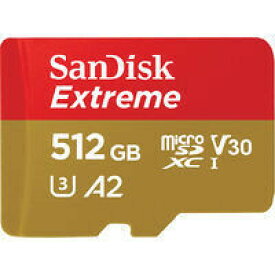
Modified at: 2026.7.23SanDisk Extreme
Easy to find online and priced affordably. Highly reliable and versatile choice for 4K/5.3K video.
Samsung EVO Plus
Top-tier reliability with high write speeds. Excellent choice for high-bitrate video recording.
Amazon Basics (High-Speed)
Great cost performance. Ensure you get the high-speed version for 4K video recording.
Speed Specs (V30 / A2)
V30 (30MB/s min sustained write) and A2 specs are recommended for 4K/5.3K recording on HERO10 and newer.
Max Capacity by Model
HERO12 Black and newer support up to 1TB. Older models have caps such as 256GB or 512GB.
Trusted Brands
Choosing officially recommended brands like SanDisk, Samsung, or Lexar avoids recording corruption.
Counterfeit Awareness
Beware of fake cards on unauthorized marketplaces that spoof capacity or read/write speeds.
Recommended micro SD Card Specifications by GoPro Model
| Model | Minimum Speed Specification | Maximum Capacity of micro SD Card |
|---|---|---|
| MISSION 1 / PRO / PRO ILS | A2 / V30 | 1TB |
| Max2 | A2 / V30 | 1TB |
| LIT HERO (2025) | A2 / V30 | 1TB |
| HERO13 Black | A2 / V30 | 1TB |
| HERO (2024) | A2 / V30 | 1TB |
| HERO12 Black | A2 / V30 | 1TB |
| HERO11 Black | A2 / V30 | 512GB |
| HERO11 Black Mini | A2 / V30 | 512GB |
| HERO10 Black | A2 / V30 | 512GB |
| HERO9 Black | UHS-1 Class 10 | 256GB |
| HERO8 Black | UHS-1 Class 10 | 256GB |
| HERO7 Black | UHS-1 Class 10 | 256GB |
| HERO7 Silver | UHS-1 Class 10 | 128GB |
| HERO7 White | UHS-1 Class 10 | 128GB |
| HERO6 Black | UHS-1 Class 10 | 128GB |
| HERO5 Black | UHS-1 Class 10 | 128GB |
These are recommended specifications, so cards that fall below these specs may still function, but to fully utilize GoPro's performance, it's best to choose a micro SD card that meets or exceeds the recommended specifications.
Recommended SD Card Specifications by GoPro
GoPro devices only support "micro SD" cards. SD cards are not compatible, so be cautious.
Within micro SD cards, the recommended specifications are:
- Minimum speed specification
- Maximum capacity of micro SD card
Here's a summary of recommended specs by model.
Recommended Speed Specifications for micro SD by GoPro
GoPro has set recommended speed specifications for micro SD cards1.
| Model | Minimum Speed Specification |
|---|---|
| MISSION 1 / PRO / PRO ILS Max2 LIT HERO (2025) HERO13 Black HERO (2024) HERO12 Black HERO11 Black HERO11 Black Mini HERO10 Black | A2 / V30 |
| HERO9 Black HERO8 Black HERO7 Black HERO7 Silver HERO7 White HERO6 Black HERO5 Black | UHS-1 Class 10 |
Previously, models from HERO10 Black and newer specified “UHS‑3 (minimum sustained write indicator),” but as of September 2025 this has changed to “A2 (random performance indicator)” and “V30 (minimum sustained write speed of 30MB/s or higher).”
For older models up to the HERO9 series, Class 10 or UHS‑I or higher (minimum sustained write speed of 10MB/s or higher) is recommended.
Understanding micro SD Speed Specifications
According to Kingston's official website, micro SD speed specifications are as follows. It's useful to remember this:
| Minimum Continuous Write Speed | Speed Class | UHS Speed Class | Video Speed Class |
|---|---|---|---|
| 90MB/s | - | - | V90 |
| 60MB/s | - | - | V60 |
| 30MB/s | - | UHS-3 | V30 |
| 10MB/s | Class 10 | UHS-1 | V10 |
| 6MB/s | Class 6 | - | V6 |
| 4MB/s | Class 4 | - | - |
| 2MB/s | Class 2 | - | - |
Previously, models from HERO10 Black and up required “UHS-3 (minimum sustained write performance indicator),” but after the revision in September 2025, the required microSD specs are now “A2 (random performance class)” and “V30 (minimum sustained write speed of 30MB/s or higher).”
For older models up to the HERO9 series, Class 10 or UHS-I (minimum sustained write speed of 10MB/s or higher) is recommended.
If you plan to use a microSD card that’s not on GoPro’s official recommended list, use these specs as your baseline.
Maximum Capacity of micro SD Cards by GoPro Model
GoPro also has a maximum capacity limit for micro SD cards by model. Cards larger than the maximum capacity cannot be used.
| Model | Maximum Capacity of micro SD Card |
|---|---|
| MISSION 1 / PRO / PRO ILS | 1TB |
| Max2 | 1TB |
| LIT HERO (2025) | 1TB |
| HERO13 Black | 1TB |
| HERO (2024) | 1TB |
| HERO12 Black | 1TB |
| HERO11 Black | 512GB |
| HERO11 Black Mini | 512GB |
| HERO10 Black | 512GB |
| HERO9 Black | 256GB |
| HERO8 Black | 256GB |
| HERO7 Black | 256GB |
| HERO7 Silver | 128GB |
| HERO7 White | 128GB |
| HERO6 Black | 128GB |
| HERO5 Black | 128GB |
While many recent smartphones support micro SD cards over 1TB, it's notable that GoPro only supports up to 1TB starting from HERO12 Black and the MISSION 1 series.
Recommended micro SD Card Manufacturers and Series by GoPro
The recommended micro SD card specifications also include a list of preferred manufacturers and series.
| Manufacturer | Series | Maximum Capacity |
|---|---|---|
| SanDisk | Extremeseries Extreme PLUSseries Extreme PROseries | 64/128/256/512GB/1TB |
| Lexar | FLYseries Professional 1066x Silverseries Professional Goldseries | 64/128/256GB |
| PNY | PRO Eliteseries Elite-Xseries Premier-Xseries | 128/256/512GB/1TB |
| Samsung | EVO Plusseries EVO Selectseries PRO Plusseries PRO Ultimateseries | 128/256/512GB/1TB |
| GIGASTONE | 4K Camera Pro A2V30series 4K Camera Pro A2V60series 4K Camera Extreme A2V90series | 128/256GB/1TB |
| Amazon Basics | - | 64/128/256/512GB |
| Kingston | Canvas Go! Plusseries | 64/128/256GB/1TB |
Among budget microSD cards, options like Adata, Kingston, Amazon Basics, and Gigastone are included, but surprisingly, Japan’s KIOXIA is not on the recommended list.
If you want something easy to buy online at a low price, the SanDisk Extreme series is a solid choice, and GoPro lists capacities up to about 1TB as recommended for its cameras.
Best microSD cards for GoPro
Let’s compare GoPro‑recommended microSD series by how well they balance write speed, read speed, and typical market pricing.
| Maker | Series | Max Read | Max Write | Recommendation |
|---|---|---|---|---|
| SanDisk | Extreme | 190MB/s | 130MB/s | ★★★★★ |
| SanDisk | Extreme PLUS | 200MB/s | 140MB/s | ★★★★ |
| SanDisk | Extreme PRO | 200MB/s | 140MB/s | ★★★ |
| Lexar | FLY | 160MB/s | 60MB/s | ★★★ |
| Lexar | Professional 1066x Silver | 160MB/s | 120MB/s | ★★★★ |
| Lexar | Professional Gold | 280MB/s | 180MB/s | ★★★ |
| PNY | PRO Elite | 100MB/s | 90MB/s | ★★ |
| PNY | Elite-X | 100MB/s | 100MB/s | ★★ |
| PNY | Premier-X | 100MB/s | 90MB/s | ★★ |
| Samsung | EVO Plus | 160MB/s | 160MB/s | ★★★★ |
| Samsung | EVO Select | 130MB/s | 130MB/s | ★★★ |
| Samsung | PRO Plus | 180MB/s | 180MB/s | ★★★ |
| Samsung | PRO Ultimate | 200MB/s | 200MB/s | ★★★ |
| GIGASTONE | 4K Camera Pro A2V30 | 100MB/s | 60MB/s | ★ |
| GIGASTONE | 4K Camera Pro A2V60 | 100MB/s | 100MB/s | ★★ |
| GIGASTONE | 4K Camera Extreme A2V90 | 100MB/s | 100MB/s | ★★ |
| Amazon Basics | - | 100MB/s | 80MB/s | ★ |
| Amazon Basics | High Speed model | 200MB/s | 150MB/s | ★★★★ |
| Kingston | Canvas Go! Plus | 200MB/s | 160MB/s | ★★★ |
The best pick: SanDisk Extreme for performance and value
Among the options compared, the clear winner is the SanDisk Extreme series.
It delivers more than enough read/write performance for GoPro use, is widely available, and comes from a top-tier brand known for reliability—all at a budget‑friendly price.
Start with the standard “Extreme,” and if you ever feel limited during 4K recording, consider stepping up to “Extreme PLUS.”


Well‑balanced reliability and performance: Samsung EVO series
Samsung’s higher‑grade EVO series from a leading memory maker delivers at least 130MB/s max write across models, so you’re covered for any recording mode. The baseline pick is “EVO Plus,” step up to “PRO Plus” for higher‑bitrate or long‑form shooting, and “EVO Select” works fine for HD‑level recording.
Pricing often runs higher than SanDisk’s Extreme line, but Samsung’s memory chip performance has a strong reputation—also proven in its PC SSDs—so it’s a trustworthy choice.

Beyond those, GIGASTONE’s microSD cards are also worth considering. Just note that while the lower-spec models are cheap, the higher-spec versions that meet GoPro’s requirements tend to cost more, and 512GB models are not recommended.
Surprisingly high performance: Amazon Basics (High‑Speed model)
Amazon Basics is widely praised for value, and its microSD cards are on GoPro’s recommended list. There are two distinct versions: the standard black card and the high‑speed black‑and‑yellow model. The high‑speed version offers specs that comfortably handle 4K recording, making it a genuinely cost‑effective pick.

Tips for Choosing a micro SD Card for GoPro
Choosing the Capacity
Start by choosing the capacity of the micro SD card.
Even if the card becomes full, you can transfer data to a PC or cloud and delete it, but for long continuous recordings, a larger capacity card is necessary.
The required capacity varies by resolution and frame rate.
| Resolution | Frame Rate (fps) | 1 Minute (MB) | 1 Hour (GB) | 5 Hours (GB) | 10 Hours (GB) |
|---|---|---|---|---|---|
| 4K | 60 | 800 | 48 | 240 | 480 |
| 4K | 30 | 400 | 24 | 120 | 240 |
| 4K | 24 | 320 | 19.2 | 96 | 192 |
| 2.7K | 60 | 450 | 27 | 135 | 270 |
| 2.7K | 30 | 225 | 13.5 | 67.5 | 135 |
| 1440p | 60 | 300 | 18 | 90 | 180 |
| 1440p | 30 | 150 | 9 | 45 | 90 |
| 1080p | 120 | 450 | 27 | 135 | 270 |
| 1080p | 60 | 225 | 13.5 | 67.5 | 135 |
| 1080p | 30 | 112 | 6.7 | 33.5 | 67 |
| 720p | 240 | 600 | 36 | 180 | 360 |
| 720p | 120 | 300 | 18 | 90 | 180 |
| 720p | 60 | 150 | 9 | 45 | 90 |
Capacity varies by use case (for detailed recording time per resolution and capacity, refer to our Video Recording Time Guide):
- Everyday recording: 32GB–64GB
- Long-duration recording: 128GB–256GB
- Professional use: 512GB and above
Prioritize write speed for high‑resolution shooting
When recording at 4K or higher—or at high frame rates like 120fps—the data rate spikes, making microSD write speed critical. If the write speed can’t keep up, you can run into freezes, interrupted recordings, GoPro overheating issues, or sudden shutdowns. To avoid these issues, choose a card with a max write of at least 130MB/s for high‑resolution shooting.
Pay Attention to the Price Per GB
In recent years, the price per GB of micro SD cards is around 10 cents. Higher-speed specs may exceed this rate, but generally, aim for around 1o cents per GB.
Be Cautious of Fake micro SD Cards
Recently, micro SD cards are also sold on flea markets and auctions, but beware of fakes from unreliable sellers. Fake micro SD cards often falsify capacity and speed specs to lower prices and are unsuitable for GoPro use.
Related Guides
Check out these relevant guides to optimize your GoPro setup and camera selection:

GoPro Recording Time Chart: Maximum Hours for All Models
How many hours of video can a GoPro hold? See our complete chart for HERO 13 to HERO 3, comparing 4K/5.3K limits on 128GB to 1TB SD cards.

How to Stop GoPro Overheating: Thermally Optimized Models & Practical Hacks
Prevent sudden GoPro thermal shutdown with our definitive guide. Discover hardware-optimized models built with dedicated heatsinks and learn effective settings and mounting tweaks.
![[2026 Edition] The Best GoPro to Buy Now! Recommendations for New and Used Models thumbnail](/_ipx/f_webp&s_180x100/imgs/guides/the-best-gopro-to-buy-now_en-th.png)
[2026 Edition] The Best GoPro to Buy Now! Recommendations for New and Used Models
If you're looking to buy a GoPro now, this guide will help you evaluate the recommendability of past models and choose the right GoPro based on your needs and budget.

Which GoPro Models to Avoid in 2026: Complete Skip List
Although GoPros are relatively durable devices, certain older models fail to meet current user expectations. In this guide, we break down older GoPro models you should avoid buying today.
Footnotes
Tags:micro SD for GoProModel Comparison
Frequently asked questions about micro SD for GoPro
What capacity of micro SD card is compatible with GoPro?
The maximum capacity of the micro SD card varies for each GoPro model.In summary, they are as follows.
- HERO 12/13/2024: 1TB
- HERO 10/11: 512GB
- HERO 7/8/9: 256GB
- HERO 5/6/7: 128GB
Can I use micro SD from other devices on my GoPro?
You can use micro SDs from other devices on your GoPro, as long as the micro SDs (capacity and transfer rate) are supported by the GoPro, but in some cases you may need to format them before use.
What happens when cheap, slow micro SD is used with a GoPro?
Using a low-speed micro SD card, such as Class 4, may cause errors when saving high-resolution videos, such as 4K, or may not save them correctly.