

How to Stop GoPro Overheating: Thermally Optimized Models & Practical Hacks
Stop GoPro overheating shutdowns. Learn about thermally optimized models (MISSION 1, HERO13 Black, LIT HERO) with built-in heatsinks, plus practical settings and mounting cooling tips.
Modified at: 2026.7.27Posted at: 2024.9.22
Quick Picks — Heat-Resistant GoPro Cheat Sheet (Thermally Optimized Models)
Modified at: 2026.7.27MISSION 1
Powered by the new GP3 processor and high-capacity Enduro 2 battery for hardware-level thermal management. Stable even in 8K/4K120fps.
HERO13 Black
Equipped with a front heatsink below the lens for dramatic heat dissipation, preventing thermal shutdown during 4K/5.3K recording.
LIT HERO (2025)
Features an all-metal frame designed to act as an integrated heatsink. Prevents heat buildup during 1080p/60fps long shoots.
What is GoPro Overheating and Why Does it Happen?
GoPro cameras are prone to overheating not only because of the internal heat generated by the processor and display, but also due to exposure to external heat in outdoor environments. When the internal temperature of a GoPro rises too high, the camera automatically shuts down to protect both the device and the battery. This is known as GoPro overheating.
The main downside of overheating is that it can cause your GoPro to shut off unexpectedly during recording, leaving you with "missed moments" or an interrupted shoot. To avoid this and ensure that you don’t miss important scenes, it’s essential to know how to manage overheating.
The Ultimate Solution: Upgrade to a Thermally Optimized Model
While GoPro cameras have historically faced thermal challenges, recent generations feature dramatic hardware and thermal design improvements.
The professional-grade MISSION 1 series incorporates the power-efficient GP3 processor and a 2,150mAh Enduro 2 battery. This hardware-level optimization ensures reliable thermal control even under high-load recording like 8K or 4K/120fps.
In addition, the flagship HERO13 Black features a dedicated front heatsink below the lens, significantly boosting heat dissipation. For casual shooters, the compact LIT HERO (2025) utilizes an all-metal chassis designed to act as a full-body heatsink.
Upgrading to one of these thermally optimized models is the most effective way to eliminate unexpected overheating shutdowns.
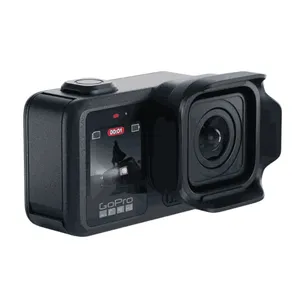
Hardware-optimized for heat management using the next-gen GP3 processor and Enduro 2 battery. Delivers dependable thermal performance during high-bitrate 8K and 4K/120fps recording.


Features a dedicated heatsink below the lens that dramatically cuts down overheating incidents in user tests. Excellent for sustained 4K/5.3K shooting.

A lightweight model engineered with an all-metal heatsink frame, keeping temperatures low during casual 1080p/60fps continuous recording.
User-Side Overheating Prevention Tips
Adjust Resolution and Frame Rate
Although the visual difference might not always be noticeable, shooting at high resolutions (such as 4K or 5K) and high frame rates (above 60fps) puts significant strain on the camera’s processor, causing it to overheat.
To reduce the chances of overheating, consider lowering the resolution and frame rate. For example, changing from 4K/60fps to 1080p/30fps can help keep the GoPro cooler.
Break Filming into Short Sessions
Continuous long-duration shooting traps heat inside the GoPro, increasing the risk of overheating. To avoid this, try breaking your filming into shorter sessions and allow the camera to cool between takes.
If you need to film for extended periods, using multiple GoPro cameras in rotation can also help manage overheating.
Turn Off the Display
The GoPro’s display is another heat source. If you don’t need the display while filming, turning it off can reduce internal temperature and extend battery life.
You can configure the display to automatically turn off during extended shoots or when filming in high-resolution and high-frame rate modes.
Avoid Covering the GoPro with Your Hand or Other Objects
It’s important to avoid covering the GoPro with your hands or any object, especially around the air vents, as this can restrict airflow and lead to overheating. Be mindful of how you hold the camera to allow proper ventilation.
Take extra care when using mounts or waterproof cases. Waterproof cases in particular trap heat inside, making it much more likely for the camera to overheat, especially in hot environments.
Avoid Direct Sunlight & Optimize Mounting Position
Continuous exposure to direct sunlight is another major cause of thermal shutdown. On hot days, simply changing where you mount your GoPro can noticeably lower internal temperatures.
For instance, when cycling or motorcycling, mounting the camera under the handlebars instead of on top shields it from direct sun while taking advantage of cooling airflow. If wearing the camera, choosing a chest mount instead of a helmet mount reduces direct solar heat while maximizing airflow.
In high summer temperatures, adjusting the mount position alone might not completely solve overheating, but it’s definitely a trick worth trying.
Use Overheating Prevention Accessories
In addition to settings and mounting adjustments, removing the heat source physically with accessories is one of the easiest and most effective ways to prevent thermal shutdowns.
A surprisingly effective method is using an external power source instead of an internal battery. Because internal batteries generate significant heat, using a Pass-Through Door to power your GoPro via an external power bank removes a major heat source.
From HERO5 onward, you can power and record directly via USB Type-C.

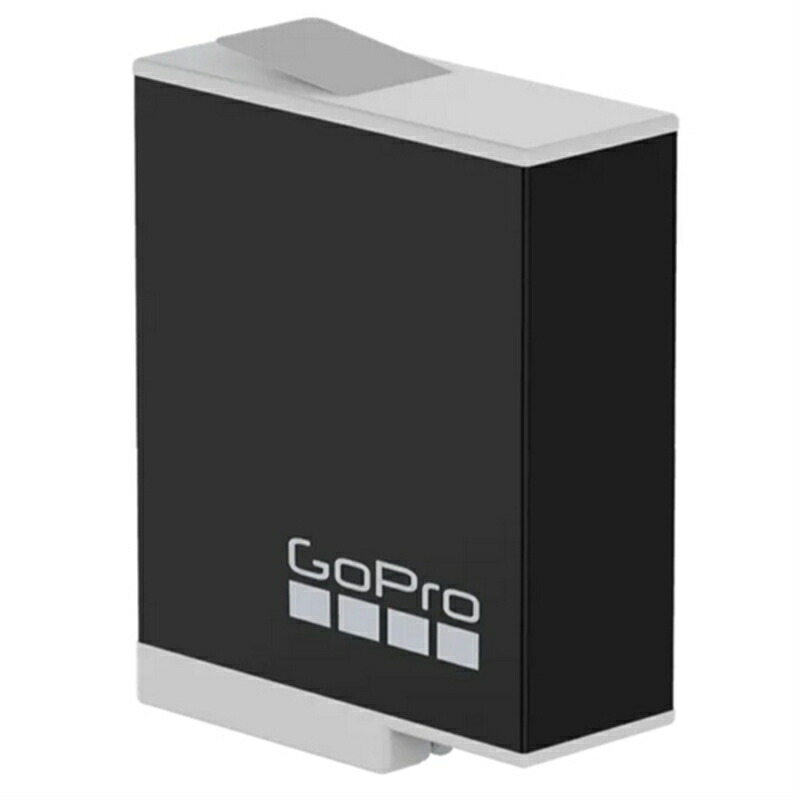
If operating on battery power, switching to an Enduro battery is also effective. While not as dramatic as external power, it reduces heat generation while extending overall battery life.
If the Problem Persists, Try Updating the Firmware
GoPro regularly releases firmware updates that may address overheating issues. Installing the latest firmware can improve performance and stability, so it’s always a good idea to keep your GoPro up to date.