

GoPro Battery Runtime Chart + 8 Ways to Extend Life
Get the ultimate guide to GoPro battery life extension featuring practical tips and battery tech to keep you filming longer.
Posted at: 2024.9.24
Turn Off Unnecessary Features
GoPro cameras are equipped with various features, but not all are necessary during recording. Turning off unused functions can extend battery life. Wi-Fi, Bluetooth, and GPS, in particular, can significantly impact battery longevity due to their high power consumption.
Additionally, voice control, which keeps the device in standby mode, consumes power. Disable it if you find it unnecessary during your shoot.
Minimize Display Usage
The display is one of the most power-hungry components of digital devices, often accounting for nearly half of the total power consumption. Reducing the display brightness and setting the screen to turn off automatically after a short period can help save power.
When you need to preview during shooting, simply touch the screen to check, so be sure to set the auto-off feature to a shorter time.
Lower Resolution and Frame Rate
High resolutions (4K and above) and high frame rates (60fps and above) on GoPro consume more battery power. Adjusting the settings to 1080p/30fps, for example, can extend battery life, depending on your needs.
Record Shorter Clips
Long, continuous recording sessions consume a lot of battery power. By filming only the necessary scenes, you can reduce unnecessary battery drain.
Avoid Overheating
Like all digital devices, GoPro cameras consume more power in high-temperature environments. Avoid direct sunlight and shoot in well-ventilated areas. Also, avoid covering the camera with waterproof cases or your hands, as this can increase the risk of overheating.

How to Stop GoPro Overheating: Thermally Optimized Models & Practical Hacks
Prevent sudden GoPro thermal shutdown with our definitive guide. Discover hardware-optimized models built with dedicated heatsinks and learn effective settings and mounting tweaks.
Update to the Latest Firmware
New firmware often includes optimizations for better battery efficiency. Check the GoPro app or the official website for firmware updates to ensure your camera is always up to date.
Use Enduro Batteries
GoPro offers two types of batteries: standard and Enduro. Enduro batteries can provide up to 40% longer recording time in normal temperatures and are designed to perform better in low temperatures.

GoPro Battery Compatibility Chart: MISSION 1 & HERO 13 to HERO 3
Are GoPro batteries interchangeable? Compare all generations from MISSION 1 and HERO 13 to HERO 3. Includes Enduro vs. Standard specs and exact battery model codes.

Carry Spare Batteries
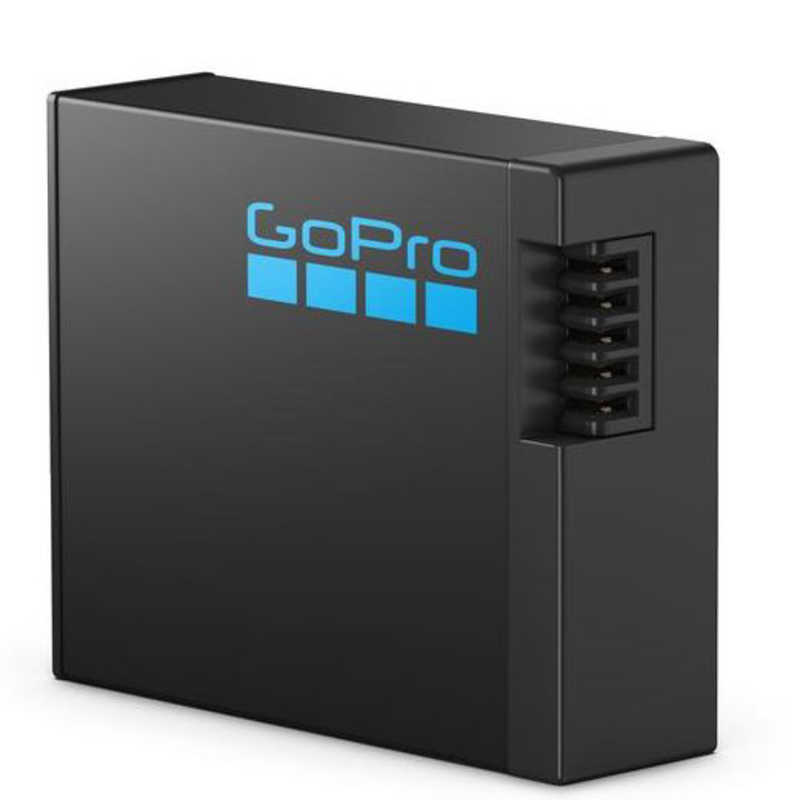
If you use a GoPro with removable batteries, having spares is essential. Extra batteries allow you to quickly swap and continue shooting without interruption. GoPro also offers chargers that can charge multiple batteries simultaneously, which is a great accessory to have.
Disable Unused Modes During Recording
Advanced features like stabilizers and HyperSmooth can drain battery power quickly. Disable these features when not needed to conserve battery life.
Tags:GoPro Batteries